
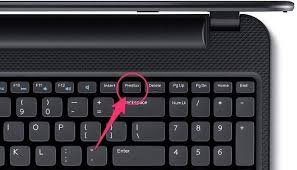
Ways to Take a Screenshot on a Mac Laptop
Mac laptops use different shortcuts.
All options are quick and easy.
Method 1: Capture Full Screen
Press:
Command + Shift + 3
Result:
Entire screen captured
Saved directly on the desktop
No extra steps required.
Method 2: Capture Selected Area
Press:
Command + Shift + 4
Then:
Drag your cursor to select an area
This allows precise screenshots.
Great for cropping instantly.
Method 3: Capture Specific Window
Press:
Command + Shift + 4, then press Spacebar
Click on the window you want.
Only that window will be captured.
This keeps your screenshot clean.
Where Are Screenshots Saved?
After taking screenshots, knowing the location is important.
Windows:
Pictures → Screenshots
Mac:
Desktop (default location)
You can change this in settings if needed.
Advanced Screenshot Tips
Improve your screenshots with these tips:
Keep your screen clean
Close unnecessary tabs
Highlight important sections
Use editing tools
Clear screenshots look more professional.
Best Free Screenshot Tools
Built-in tools are good, but extra tools offer more features.
Popular options:
Snipping Tool (Windows)
Lightshot
Greenshot
Features include:
Instant editing
Text and arrow tools
Easy sharing
Useful for bloggers and content creators.
Common Screenshot Problems and Fixes
Screenshot Key Not Working
Check keyboard function key (Fn)
Try an alternative shortcut
Screenshot Not Saving
Check the screenshot folder
Use the manual paste method
Low Quality Screenshot
Avoid using the phone camera
Use built-in tools only
Best Practices for Using Screenshots
Use screenshots in blogs and tutorials
Add captions for clarity
Optimize image size for faster loading
Use descriptive file names for SEO
These practices improve user experience.
Conclusion
Taking a screenshot on a laptop is very easy.
You need to remember a few shortcuts.
Windows users can use:
Print Screen
Windows + PrtScn
Snipping Tool
Mac users can use:
Command + Shift + 3
Command + Shift + 4
Once you practice these methods,
You can capture anything on your screen in seconds.
This skill is useful for students, professionals, and bloggers.
You may also like this , Agra’s Most Trusted Digital Marketing Agency